Why AI Background Removal Fails in Low Light and on Clashing Colors
Two failures with opposite fixes, and only one can be repaired after the shoot. In dim footage the subject’s edge stops existing in the data: a modest underexposure on a test clip pushed 81% of a shadow patch's pixels below luma 16 - where 8-bit video has almost no code values left - and cut its distinct levels from 150 to 63. The model is then asked to trace an outline the encoder threw away; denoise and a lift bring most of it back. When the subject’s clothes sit close to the background color, post cannot help: a color key needs measurable distance, and on a red-on-red test pair the tolerance that removes the background already eats the subject. Fix exposure first; for clashing colors, change the light, the wardrobe or the screen, or budget for roto.
On this page
- Low light is a quantisation problem before it is an AI problem
- Measure your own clip in one command
- What lifting the shadows afterwards can and cannot bring back
- Grain is not the enemy; collapsed levels are
- Why clashing colors have no tolerance setting
- The color survives the darkness
- Fix in this order, cheapest first
Low light is a quantisation problem before it is an AI problem
Every one-click remover, and every keyer underneath it, works from differences: an edge where the subject’s pixels stop and the background's begin. Underexposure destroys exactly that. Brightness is stored in 8 bits per channel on a non-linear curve, and roughly luma 0 to 16 is where video has the fewest code values to spend - so a third of a stop drops hundreds of distinguishable tones into a handful of near-identical codes.
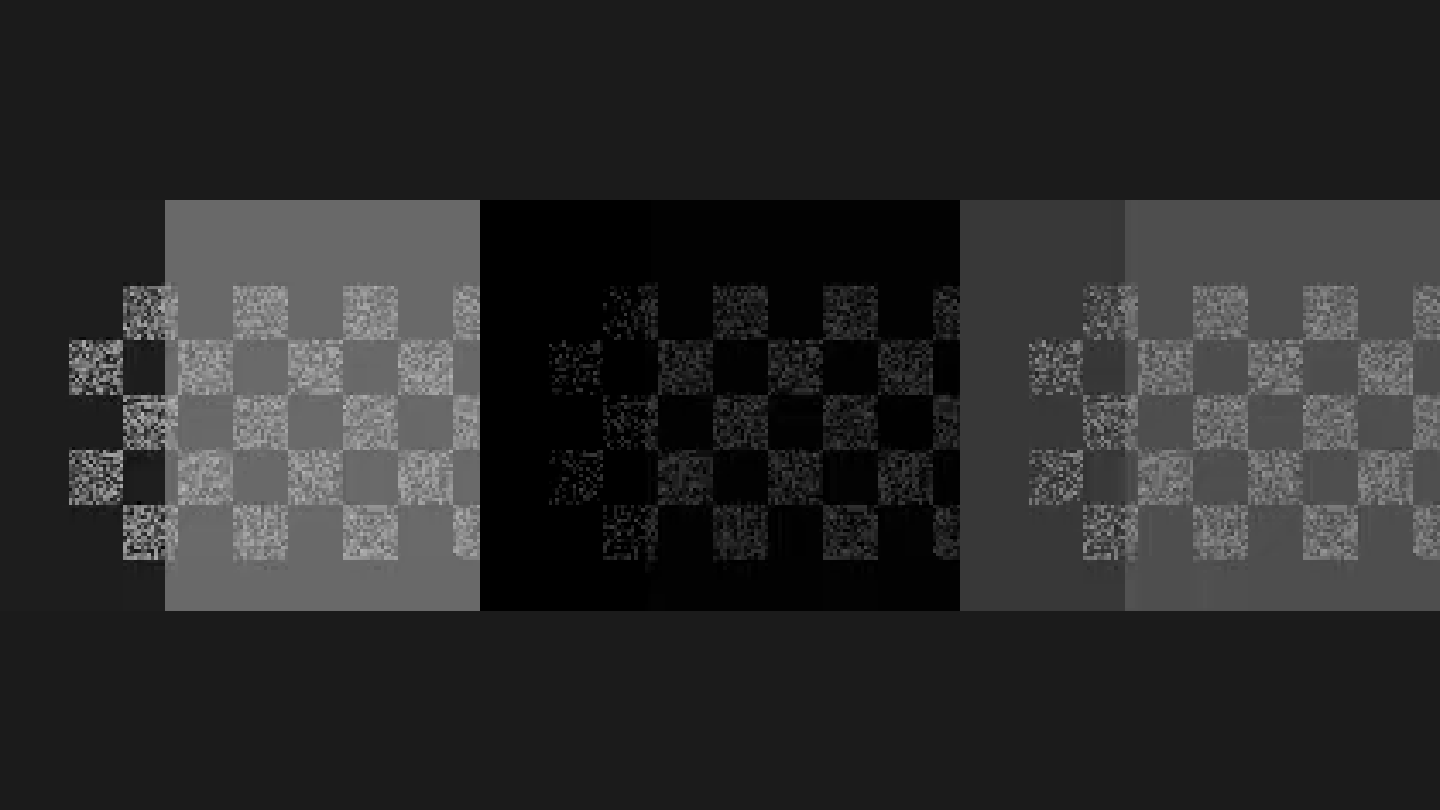
The numbers below are one textured 140x120 region of a 640x360 H.264 clip, each step rendered to a file and read back the way you would work on a real clip. Normal exposure: 150 distinct values, range 0 to 185, mean 89.8, nothing below 16. After eq=brightness=-0.35:contrast=0.9: 63 values, range 0 to 72, mean 8.1, and 81% of pixels below 16. Across the whole frame the same dim puts 48% of pixels in that band. Nothing about the AI changed between those numbers; the information it needs to segment stopped being stored.
Same law the hair-edge piece describes for fine detail: the matte is only as good as the tonal separation it is given. A creator with a dim wall and a blurred client clip - "the background is a dim lit wall with some furniture. It's a tiny bit blurred" (r/premiere) - has both problems at once; a tool author puts it plainly: "if the footage isn't high quality and the edges are blurred failures are very possible" (r/VideoEditing).
Measure your own clip in one command
Before spending an afternoon on a dim clip, find out how much of it is gone. This prints the mean of a mask marking every pixel below luma 16: ffmpeg -i clip.mp4 -vf "format=gray,lut=y='if(lt(val,16),255,0)',signalstats,metadata=print:key=lavfi.signalstats.YAVG" -frames:v 30 -f null -. Divide the printed average by 255 for the share of crushed pixels. The test clip reads 0%; the dimmed copy reads 48%. That number is the ceiling on what any lift can recover, because those pixels no longer differ from each other.
What lifting the shadows afterwards can and cannot bring back
Brightening afterwards is still worth doing, and it is not the same as fixing the shot. Running the dimmed patch back up (eq=brightness=0.30:contrast=1.1) returns the mean to 78.5 and clears the crushed band entirely, but only 100 distinct levels come back out of the original 150, and the range tops out at 156 instead of 185. The detail is not restored, it is redistributed: smooth gradation becomes a few wide steps, which is what banding is. Against a plain wall that may be invisible; against a textured background it is the difference between a matte that tracks and one that crawls.
Grain is not the enemy; collapsed levels are
The instinct in low light is to blame noise. Here it is the wrong suspect. Adding heavy grain to the normal-exposure footage (noise=alls=14:allf=t+u) left the patch with more distinct levels, not fewer - 147 against 150 - and raised whole-frame frame-to-frame luma change from 2.19 to 2.70. Dimming the
That is also why denoising belongs before a lift: on a dim, grainy copy, lifting alone left a temporal figure of 2.51, and denoising first (hqdn3d=6:4:8:6) brought it to 1.93 at the same brightness. Denoise, then lift, then remove the background.
Why clashing colors have no tolerance setting
A color keyer removes pixels within a distance of a sampled color, and tolerance is the only dial. On clean footage it has enormous headroom: keying a red background (0xE03030) with FFmpeg's colorkey and a blue subject in frame, every similarity setting from 0.005 to 0.30 removed the background completely while the subject stayed at 255 of 255 opacity. The window is wide because the colors are far apart.
Move the subject closer and the window closes. With a subject at 0xC04040 - visibly red, but only a few percent from the background - the same 0.005 that keys the background drops the subject to 216, then 203 at 0.01, 177 at 0.02, 126 at 0.04, 24 at 0.08, gone by 0.15. At 0xCF3535, a red barely distinguishable from the background, the subject is at 100 of 255 at the lowest tolerance that does anything, while the background is still at 5. There is no setting between those states: both colors occupy the same part of the color space, and a distance threshold cannot separate things that are not distant.
The human version arrives as a question, not a bug report: "I got a bunch of footage of a red painted background and models wearing red clothes" (r/VideoEditing). AI segmentation fails here for a related reason - with color gone as a cue it leans on shape and motion, which is why the damage shows up as missing arms and background chunks riding along on the subject.
The color survives the darkness
Dimming hurts luma far more than chroma: on a saturated area of the test clip, dropping brightness by 0.35 left the chroma planes untouched - U average 90 and V average 240 before and after. A dim green screen is therefore not a keying problem the way a dim room is a segmentation problem; the separation is still there, only darker. What breaks in a home studio is the other half: "Due to physical space constraints in my home studio, lighting isn't great and getting some backspill / green shadow on face" (r/VideoEditing). Evenly lit but dim: key it. Patchy: no tolerance saves it - which is why the green screen vs AI comparison keeps coming back to light, not software.
Fix in this order, cheapest first
- Check the crushed-pixel number first. Under about 10%, a denoise plus lift usually gives the model back what it needs.
- Denoise first, then lift with a curve rather than a slider: raise the shadows, protect the highlights, then remove the background.
- Still failing after one pass? Stop re-running it; the fast-movement piece covers the other axis.
- Clashing colors: relight so the subject separates from the background by at least a stop, change the wardrobe, or hang a screen - none of those are post-production fixes, and that is the point.
- Irreplaceable footage with a clash: roto, budgeted in hours. One editor measured a frame-by-frame pass at just over 25 minutes against under a minute for one click.
- Repeatable content - streams, courses, anything shot weekly - solve it once at the source with a screen.
Phone footage is harder to control: the working routes for iPhone start with what you can actually adjust. If the clip also needs a format change, read the free converter limits before uploading it to a service that re-encodes it again. And if the removal worked but the export plays back with a black plate where the background should be, that is the container dropping the alpha channel - why a transparent export comes out black walks the three causes and the formats that actually carry alpha.
Disclosure: This site is reader-supported. Some pages contain affiliate links; this one doesn't.